

Smooth patient flow. Faster queues. Better service.
Our Queue Management System (QMS) streamlines how customers or patients move through your service process. From generating tokens to managing departments, counters, and real-time display screens everything works seamlessly to deliver a smooth experience.
Schedule a Demo
How Our QMS System Works
A quick overview of how our system manages queues from token creation to real-time display.
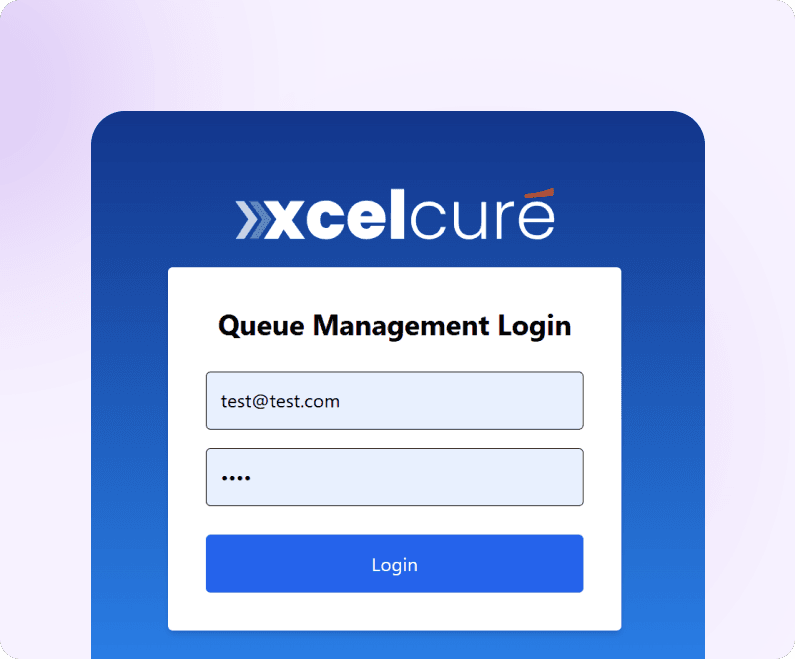
Super Admin Login
The system begins with a secure login for the Super Admin.Using a valid email and password, the admin can access the full backend of the QMS.
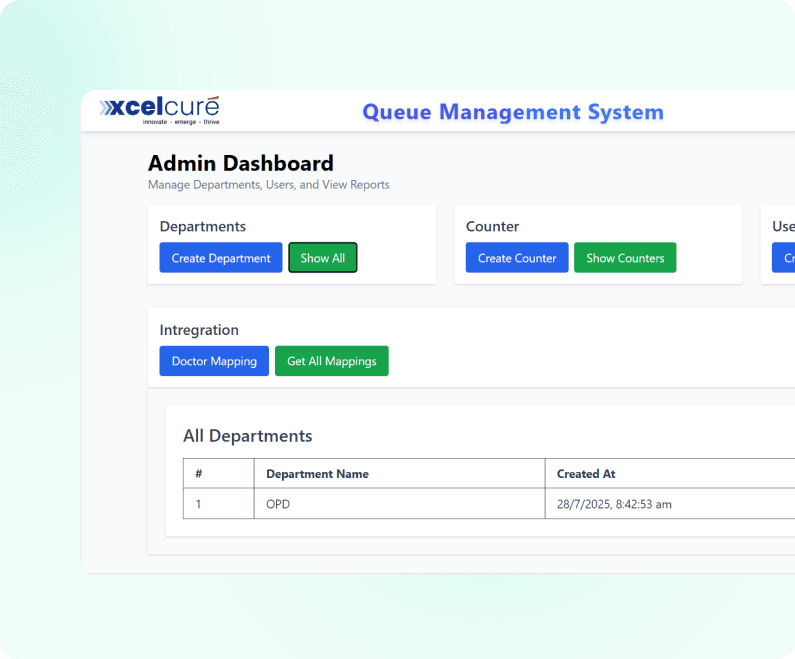
Super Admin Dashboard
After logging in, the Super Admin is taken to the dashboard where they can manage:
- Departments
- Counters
- Users
- Doctor-to-department mappings
This dashboard acts as the control center of the entire queue system.
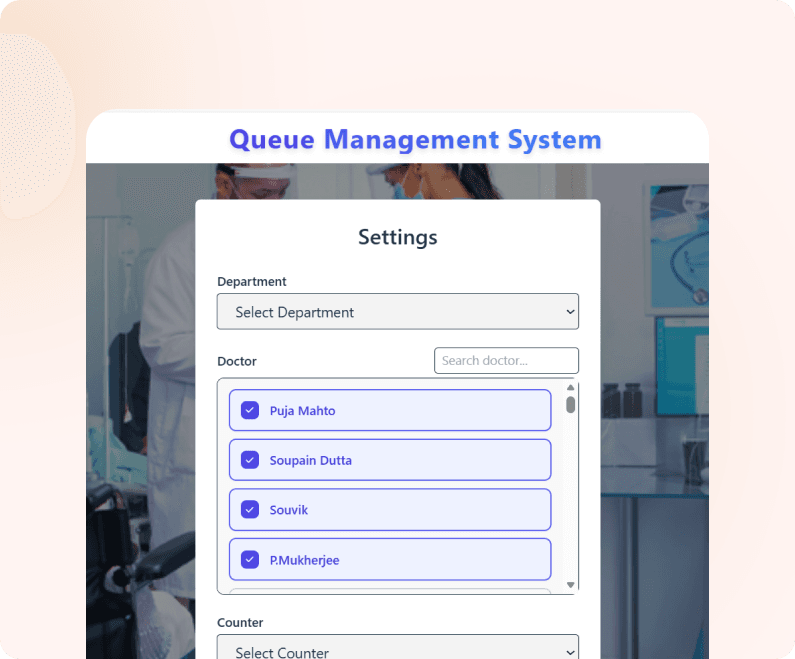
Counter Setup
This module allows configuration of:
- Departments
- Counters
- Doctors
These mappings define how the queue flow works — ensuring patients are directed to the right doctor or service counter.
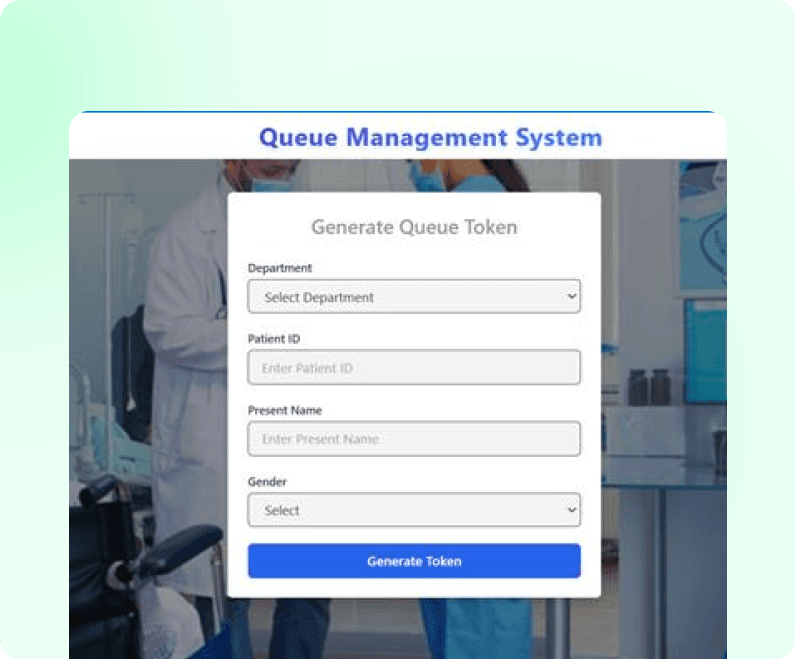
Create Token
Counter staff can generate queue tokens by:
- Entering patient details
- Selecting the relevant department
Each token is automatically assigned to the correct queue based on the setup.
Counter Page
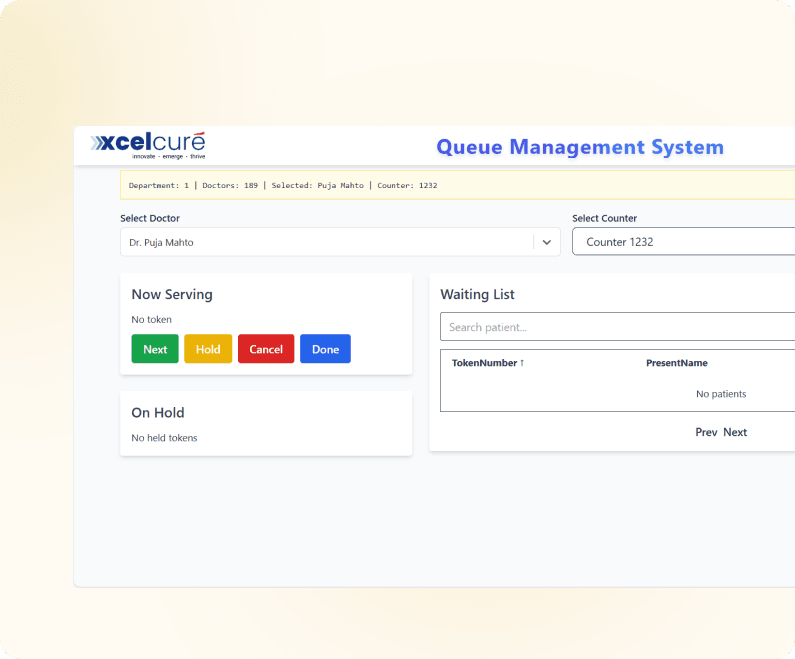
This page is used by counter staff to monitor and manage tokens in real time. It displays:
- Tokens currently being served
- Waiting tokens
- On-hold tokens
Staff can call the next number, put a token on hold, resume it, or close it.
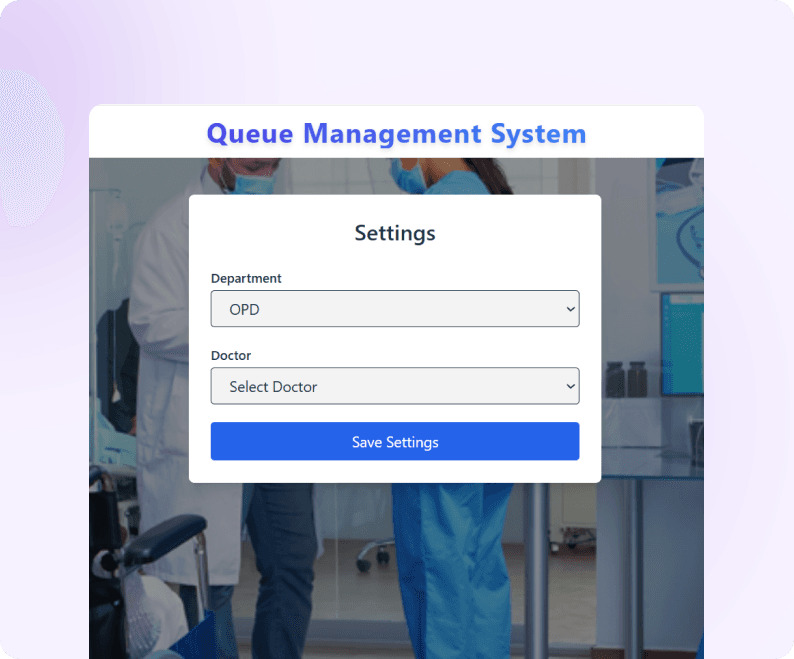
Display Screen Setup (Admin View)
Before opening the public display, the staff selects:
- Department
- Doctor
This configures the public display screen to show the correct queue.
Display Screen (Public View)
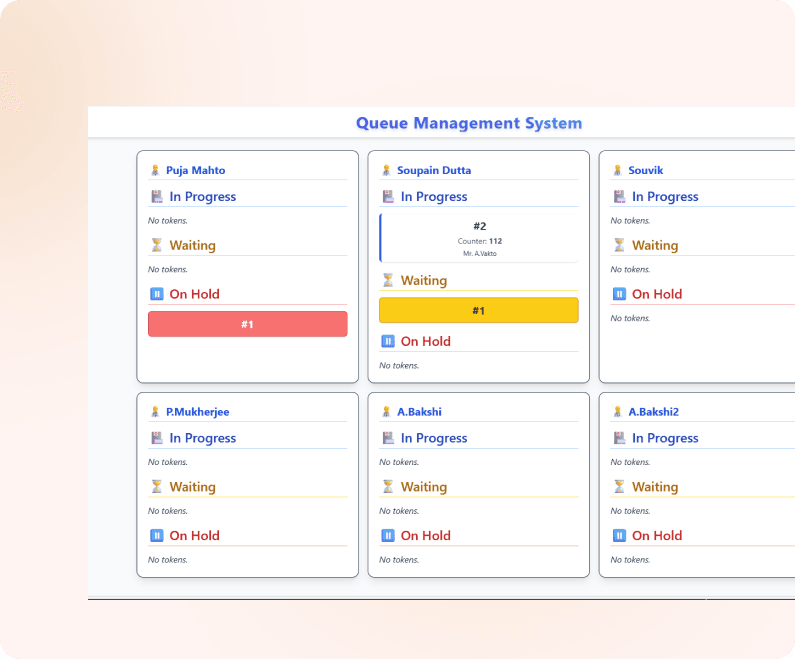
This is the screen shown in waiting areas.
It displays real-time queue information such as:
- Current token being served
- Waiting tokens
- On-hold tokens
- Doctor/department information
Clear, organized visuals help reduce confusion and improve patient experience.
Experience Healthcare Intelligent Management
Start your journey with xcelcuré™ and upgrade your hospital, clinic, or laboratory to a smarter, unified digital ecosystem.
Request a Demo

Transform your hospital into a more efficient, human-centric, and competitive ecosystem with xcelcuré™. Our intelligent HMS unifies patient data, streamlines processes, and boosts operational and financial performance. Flexible hosting, easy migration, faster TAT, and secure encrypted data make it a future-proof solution.
Contact Us
admin@xcelcure.com
icare@xcelcure.com
+91 9836149149
Module-115, SDF Building, GP Block, Sector V, Bidhannagar, Kolkata, West Bengal - 700091